Smartphone and laptop guidesMini PC
Who should buy a mini PC (instead of a laptop)?
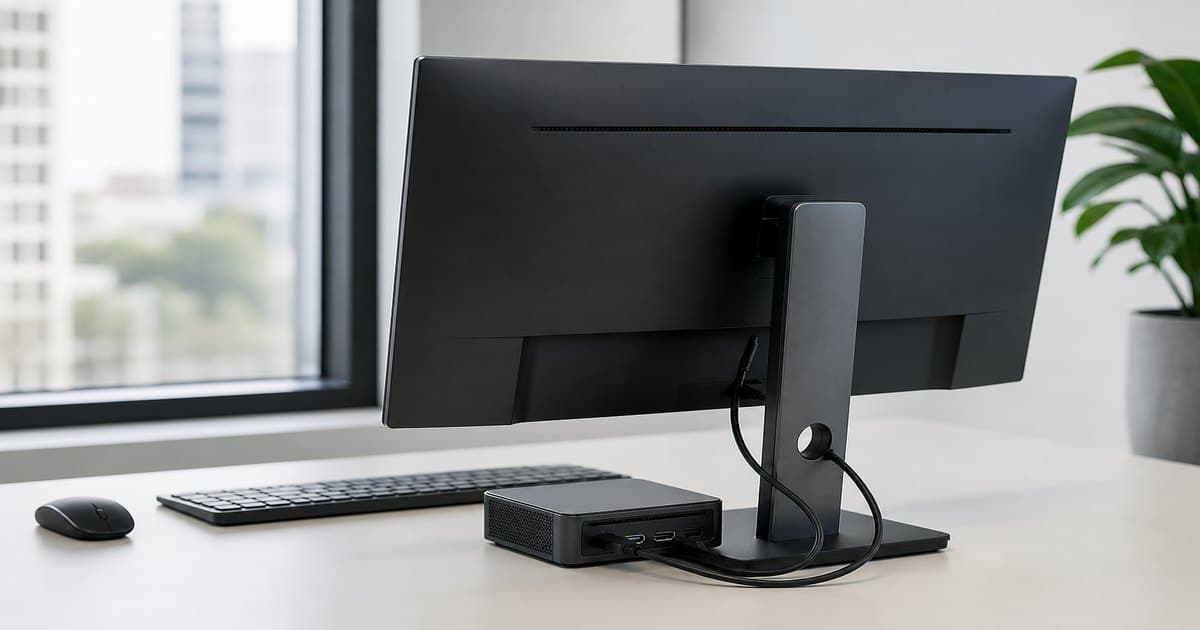
A mini PC disappears behind the display and still runs full Windows. It can beat a laptop on price because you skip the built-in screen and battery — so add a monitor and a mouse to the budget. That is what the mini PC shelf is for.
Who it fits — and who it does not
- Fits: bookkeeping, reception, HDMI signage, living-room PC.
- Does not: heavy 3D games, daily commuting, battery on the metro.
- Hybrid: mini PC + monitor at home, cheap laptop on the road.
CPU, RAM, SSD, ports
Office comfort: modern i3/Ryzen 3-class, 16 GB RAM, 512 GB SSD. 8 GB is kiosk territory. Match HDMI/USB-C to the Hertz in the monitor guide. Dual monitors need two video outputs.
Noise, dust, VESA
Small box, small fan. Good units are silent at a desk; cheap ones hiss. VESA mounting hides the PC behind the screen. Keep it off carpet.
Honest comparison with a laptop
- Mini PC + 27-inch monitor = comfortable office, zero mobility.
- Ultrabook = battery on the road, smaller screen, higher price.
- If you never leave the desk, mini PC often wins. If you write on the go, read the laptop guide.
A mini PC is a tiny desktop, not a tiny laptop. Shortlist 16 GB / 512 GB / HDMI models.
Can I game on a mini PC?
Light and cloud games, yes. AAA at 1440p wants a discrete GPU desktop or a gaming laptop.
Wi-Fi or Ethernet?
Calls are fine on 5 GHz Wi-Fi. Accounting queues prefer a cable. Weak coverage? Read the Wi-Fi guide.
Is Windows included?
Depends on the SKU. “No OS” is cheaper but needs install time and a license.